
Software
Aquafab Workbench
One software for everything — control, monitoring and analysis for every Aquafab system. Guided wizards build your calibrations and trial curves, the system runs them day and night, and every trial is logged so you can analyze it, share it or run it again.

One software for everything
Control. Monitor. Analyze. No paywalls.
Flow chambers, swim tunnels, respirometers, racks and displays all run on Aquafab Workbench — so everything you learn on one system carries over to the next.
Pumps, valves, heaters, chillers, lighting and sensors — on timed or reactive schedules.
Live readings, smart alerts and remote access, so you know your trial is on track from the office or home.
Built-in analysis for respirometry, swim performance and PIV flow fields, with export for your own tools.
One software for every system. No feature tiers, add-on modules or subscriptions to unlock what you need.
See it working
What Aquafab Workbench looks like
Screens from the software itself. Click any one to see it full size.


Screens from Aquafab Workbench running simulated machines. The trout respirometry trials and the cylinder-wake PIV recording are modelled example data, built from published fish physiology and standard flow models and then analyzed by the software itself. They are not measurements from a lab.

Guided wizards
Wizards that build the experiment with you
Fully automated wizards walk you through calibration and trial design step by step, with easy-to-read graphs, figures and real previews of the curve before you press start.
- Calibration wizards for flow, temperature and flush volume — automated from start to finish
- Trial builder with live previews of velocity, temperature and oxygen curves over time
- Graphs and figures that show exactly what the system will do, and what it did
- Saved protocols you can reuse, share with your lab and run again with one click

Respirometry
Automated respirometry, with thermal cycling when you need it
Start with the question you are asking, not a schedule. Pick standard or routine metabolic rate, maximum metabolic rate after a chase, aerobic scope, Pcrit, EPOC or a temperature program, and Aquafab Workbench fills in the schedule from the published method behind it. Then it runs the trial end to end: sealed measurement periods, automatic flushing with fresh oxygenated water, and optional temperature ramps and cycles, for hours or days without anyone at the bench.
- Presets from the literature: SMR, RMR, MMR, aerobic scope, Pcrit, Ucrit, cost of transport and EPOC. Every field stays editable
- Intermittent-flow or closed respirometry, chosen up front with what each means
- Smart stopping: end a measurement on time, once the fit is good enough, or before oxygen falls too low
- Thermal ramps and cycles synchronized with each measurement period
- Hypoxia and dissolved-oxygen control

Fish swimming studies
Swim performance, Ucrit and full fatigue studies
Program the current and let the software run the protocol: step-velocity tests, critical swimming speed (Ucrit), endurance and full fatigue trials, with speeds, times and respirometry recorded together.
- Critical swimming speed (Ucrit) step protocols
- Fatigue and endurance trials with automatic velocity ramps
- Ramped, not stepped: speed changes and flushes are eased in rather than stepped, to avoid startling the fish
- Oxygen uptake against water speed, with cost of transport and optimal swimming speed (Uopt)
- Behavioral studies in precisely controlled flow

PIV · flow calibration & flow-field analysis
Automated PIV — for calibration and for science
Aquafab Workbench records and analyzes particle image velocimetry automatically. Use it to calibrate your chamber to true water velocity with high accuracy — or to map the full flow field around organisms, models and structures.
- Automated PIV recording and analysis — no separate software
- Setpoint-to-velocity calibration so trials are programmed in cm/s
- Full flow-field analysis: velocity maps, uniformity and turbulence
- Valuable for marine science and for engineering tests alike
Analysis
Finish the analysis without leaving the software
Compare treatments, pick out the cycles that count and see the shape behind every number, all from the trials you already ran. Nothing has to go through a spreadsheet first.
Compare on 17 measures
Group trials by treatment and compare them on SMR, MMR, absolute and factorial scope, whole-animal rates, variability, oxygen conditions, fit quality and more.
Overlay the traces
One line per trial on the same axes, so two groups with the same average but different behavior look different. Traces are never averaged together.
Analyze part of a trial
Leave out the cycles while the animal settled, or keep only well-fitted ones. Every figure recalculates live, and the selection is saved as a rule that can be written straight into your methods. The original data is never changed.
Q10 and mass scaling
Metrics that need a set of trials: Q10 across temperatures, allometric scaling across body masses, and the oxygen threshold.
The method on every number
Every SMR says how it was estimated (low quantile or MLND), and that method goes into the export with it, so the right method ends up in your paper.
Analyze from anywhere
On any licensed computer the full analysis runs with no system attached, so you can work on trials away from the lab.
Everything included
Built for how aquatic labs actually work
Remote access, no account
Check temperatures and trial progress from a laptop or phone, anywhere. Pair once with a code shown on the machine; everything is encrypted end to end.
Multiple systems at once
Run and monitor several systems simultaneously from one software.
Trial history & re-runs
Every trial is logged with its settings and data — review the history or run it again exactly.
Smart features
Self-monitoring flags components that need service and alerts you when conditions drift.
Data logging & export
Time-stamped set-points and sensor readings for every trial, exportable for analysis.
Integration & retrofits
Works with third-party sensors and equipment, and retrofits tanks and flumes you already own.
Environmental programs
Tidal, diurnal and thermal cycles of temperature, flow and light.
Dissolved-oxygen control
Hold or ramp oxygen for hypoxia and water-quality studies.
Calibrated everything
Automated calibration for flow, temperature, flush volume and — with PIV — true velocity.
Across every system
What it runs on each Aquafab platform
Flow chambers
Velocity programs over time, laminar-to-turbulent profiles and calibrated flow control.
Respirometry
Automated measure/flush cycles, thermal ramps up to 5 °C/min and logged oxygen data.
Displays & habitats
Natural tide cycles, breaking-wave programs and lighting schedules for living exhibits.
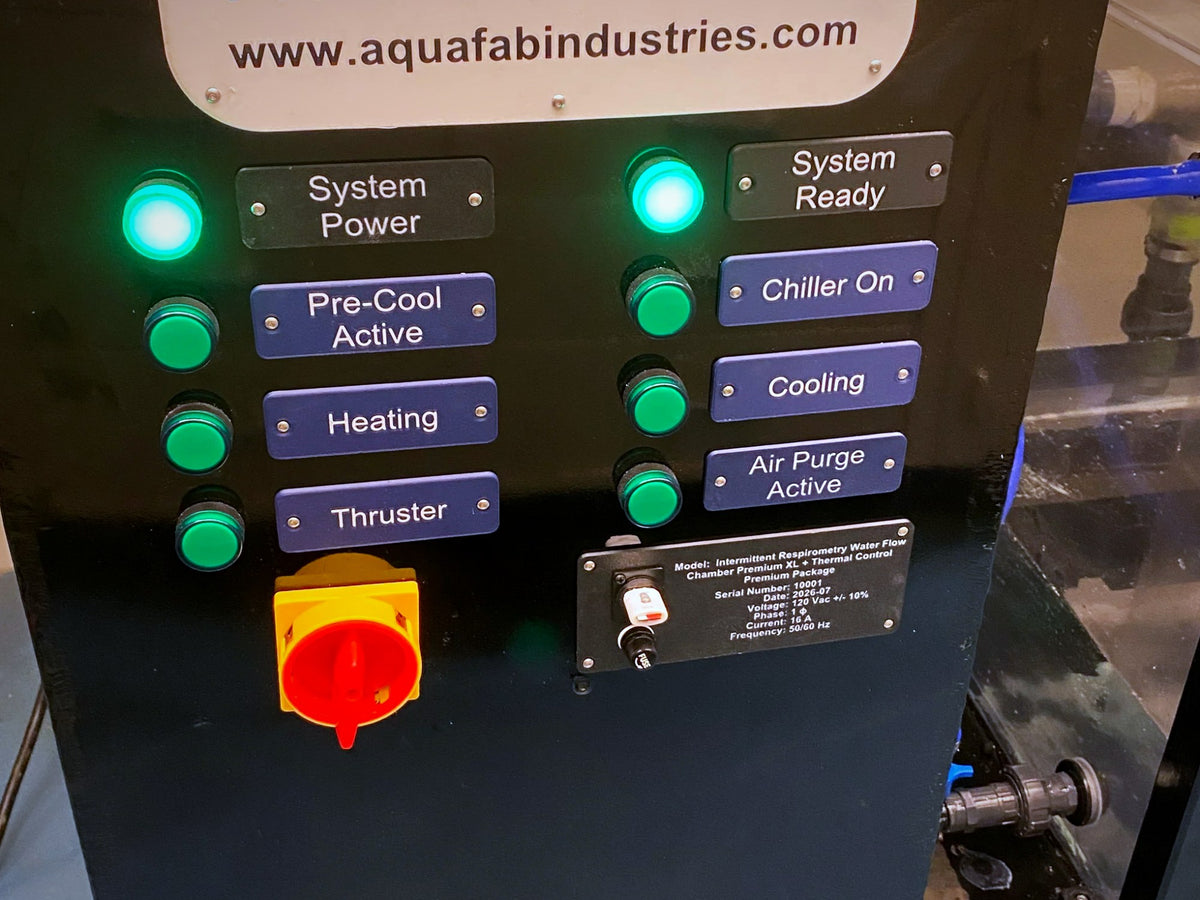
Hardware · Aquafab Lab Controller
Professional operator consoles
Research systems ship with an integrated control cabinet and operator console — monitor, keyboard and physical controls including status indicators and an emergency stop.
- Industrial control electronics
- Articulating monitor mount
- Clearly labeled physical controls
Preview download
Try Aquafab Workbench
Download the preview to explore the example machine (simulated): calibrate it and run simulated trials with live charts. No account is needed to download it. A license unlocks adding your own machines, PIV, fish tracking, trial analysis, data export and trials on your own hardware. Every Aquafab system comes with one, or buy a lab license to use the software with your own equipment. Licenses are bought once and never expire.
Once installed, Aquafab Workbench tells you when a new version is out and installs it with one click. It never updates during a trial.
64-bit installer. No administrator rights needed.
Disk image for Macs with Apple silicon.
Disk image for older Macs with an Intel processor.
A single AppImage file. Raspberry Pi control computers are set up by Aquafab.
License code
Lost your license code?
Licenses bought on this site are managed at your licenses: sign in with the account that bought it to see every code. A license also comes with every Aquafab system. If you can't find yours, tell us which system you have and your lab's name, and we'll sort it out.
- One code per computer, activated once over the internet
- Never expires, with lifetime updates and support
- It never stops a running trial
- No Aquafab system? Buy a lab license
Software FAQ
Common questions
Is Aquafab Workbench included with my system?
Yes. Aquafab Workbench is included with every Alpha system, standard respirometry system and teaching flow chamber — with every feature. There are no paid tiers, add-on modules or subscriptions.
Can I run several systems at the same time?
Yes. One installation can run and monitor multiple systems simultaneously, and remote access lets you check on all of them from anywhere.
How does remote access work?
Remote access is built into the software, with no extra account or service to set up. On the machine, turn on Aquafab remote access in its Settings and press Pair a Device: it shows a one-time code. Type that code into Aquafab Workbench on your laptop (Connect to a Machine), or into the remote page on your phone. From then on you can see the machine's temperatures and trial progress from anywhere and, if you allowed it, set a temperature that switches itself off after a time you choose. Nothing is opened on your lab network, and everything is encrypted between the machine and your device, so not even Aquafab can read it. It needs the machine's computer to be licensed and online. Remote access is a convenience, not a safety system: someone must still be responsible for a machine left running.
Can I re-run a previous trial?
Yes. Every trial is logged with its full settings and data, so you can review the history and run the same protocol again exactly.
Can it control equipment from other manufacturers?
Often, yes. We regularly integrate third-party pumps, chillers and sensors. Tell us the make and model and we'll confirm compatibility.
How do I get the latest version?
The software tells you when a new version is out. Press Update available, then Download and install: it downloads the new version, checks it, installs it and reopens. Your machines, calibrations and trials are kept. It never updates by itself, and never while a trial is running.
Do I need a license key?
Yes, for anything beyond the preview. The preview lets you explore the example machine (simulated); a license unlocks adding your own machines, PIV, fish tracking, trial analysis, data export and trials on your own hardware. Each computer is activated with its own license code, once, over the internet; a computer with no internet can be activated from your licenses page instead. Licenses never expire and include lifetime updates and support. Whoever bought your lab's license manages its codes at your licenses. Lost your code? Ask here.
Can I use it without an Aquafab system?
Yes. Buy a lab license to run it with your own pumps, sensors and chambers. Lab 20 ($1,495) covers 20 student computers and 3 teacher computers; Lab 30 ($2,295) covers 30 and 3. Your codes are ready in your account as soon as you order, and more seats can be added at any time. To see how it works first, download the preview above.
How do student seats work?
Teachers assign each seat to a student by name and email on your licenses page and send them their code. A student seat lasts a year and renews itself whenever that computer is online, so it never lapses while it is in use. A seat nobody has used for a year frees itself for the next student, and a teacher can free every student seat at the end of a term. Teacher seats never need renewing.
Can I export my data?
Yes, with a license — trial logs can be exported for analysis in your preferred software.
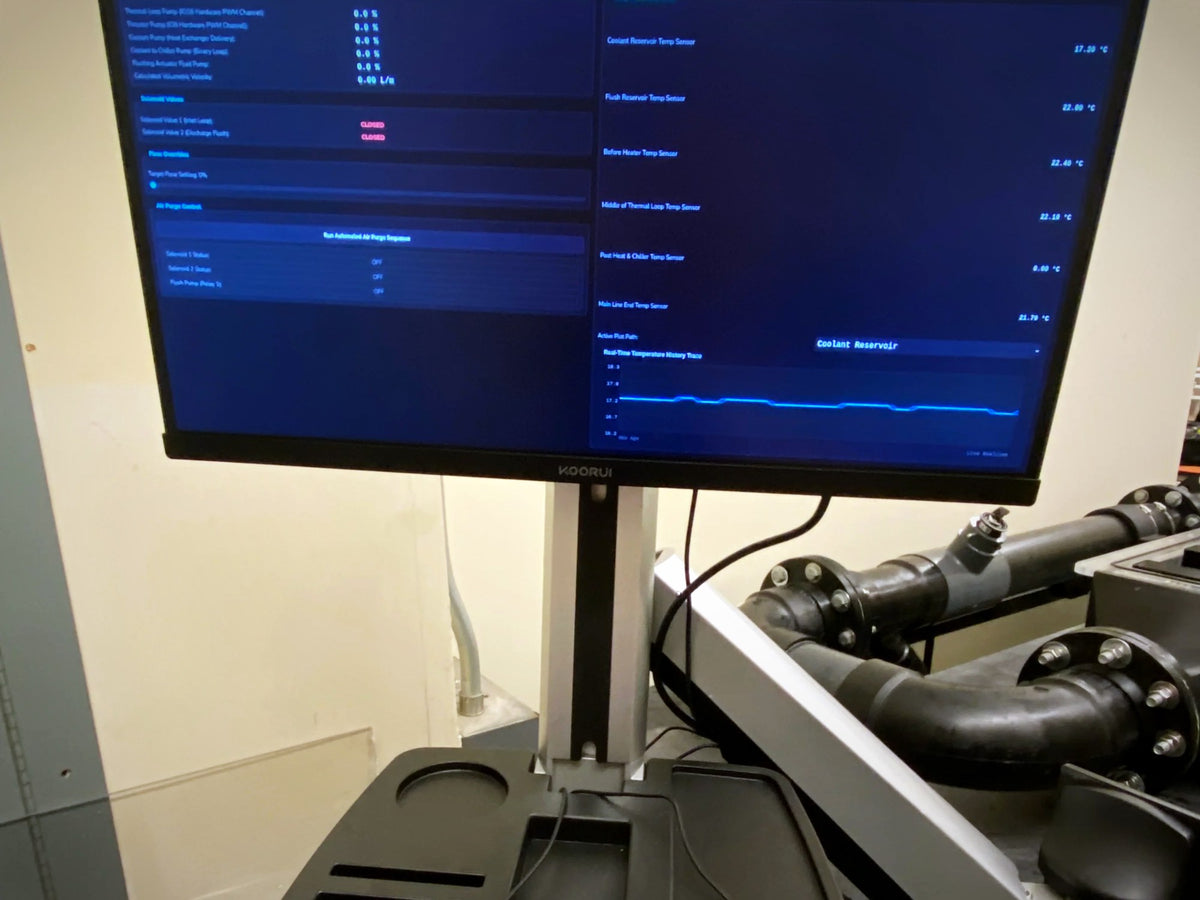
Retrofit or upgrade
Put Aquafab Workbench on the equipment you already own.
Tell us about your tanks, flumes, pumps and sensors — we'll specify the console, I/O and calibration to bring them onto the platform.